

We are always searching for better ways to understand our customers. In the competitive world of modern shopping, camera-based retail heatmaps offer the deep insights we need to thrive.
These tools transform standard video feeds into visual maps of activity. They show us exactly where people walk and where they stop. By using these insights, we can make smarter decisions about our store layouts. We can also improve the overall shopping experience for every visitor.
The retail landscape is changing fast. We can no longer rely on simple intuition to run a store. Data must lead the way in every decision we make.
Visual tools give us a clear view of how our physical space performs. We can see which products attract attention and which ones are ignored. This article explores how this technology works and how it drives profit.
Understanding How Camera-Based Retail Heatmaps Work
Camera-based retail heatmaps turn video data into useful business facts. In the past, we used cameras mainly for security. We focused on preventing theft and monitoring accidents.
Today, we use those same lenses for visual intelligence. This shift helps us understand the “why” behind every sale or missed opportunity. It turns a simple security tool into a powerful growth engine.
Camera-based retail heatmaps use computer vision to identify human shapes and movement. The software does not need to record personal faces or details. It simply tracks the flow of bodies through the store.
These systems process thousands of data points in real time. We get a reliable look at visitor tracking across the entire floor. This level of detail was impossible just a few years ago.
The hardware we choose also matters. Some stores use standard IP cameras. These cameras send video to a central server for processing.
Other stores use edge sensors. These smart devices process data directly on the hardware.
This reduces the load on our store networks. It also makes the data collection faster and more reliable. We often recommend edge sensors for larger retail environments.
Essential Metrics Derived From Shopper Behavior Patterns
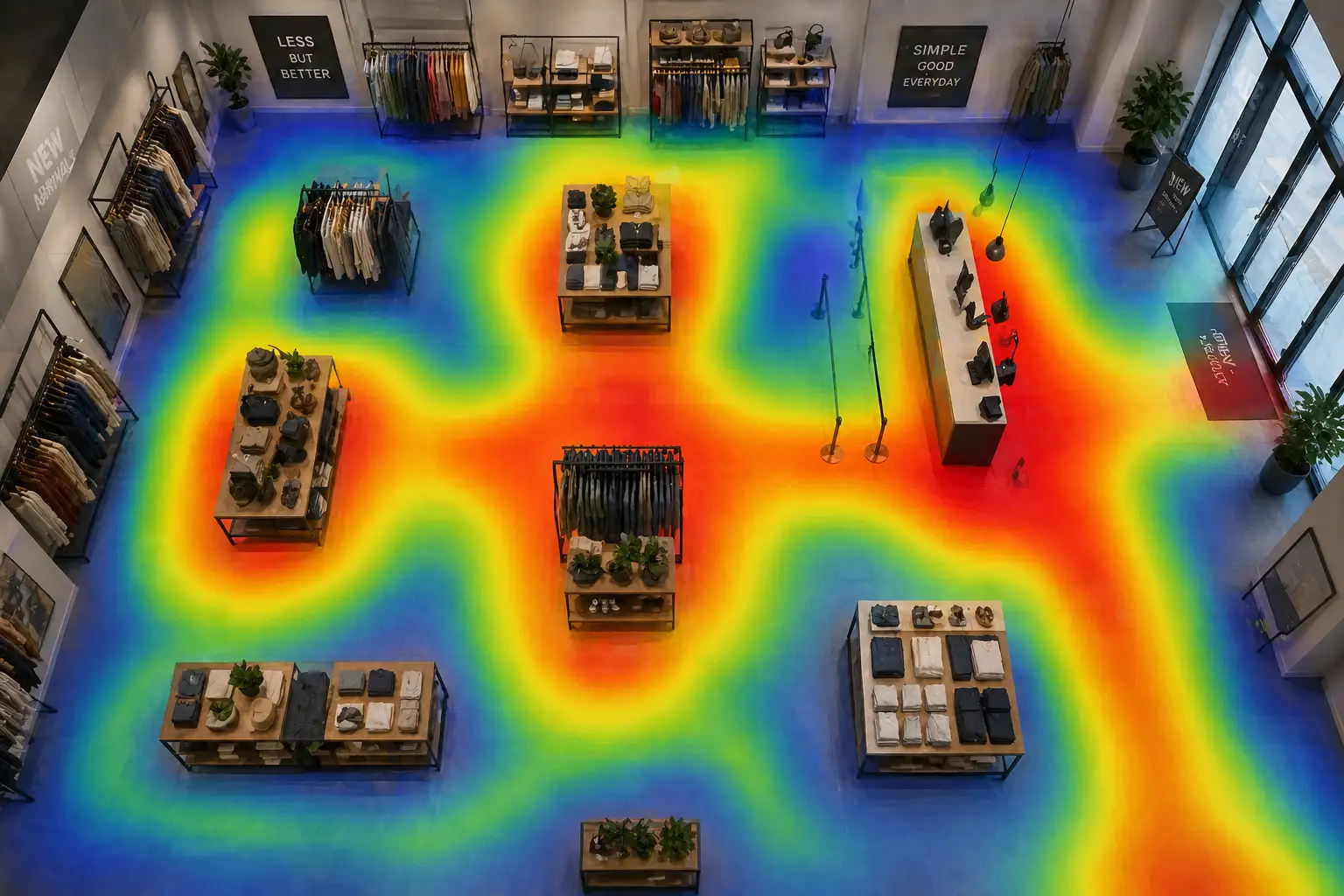
Camera-based retail heatmaps use colors to represent traffic density across the store. Red areas show “hot zones” where activity is highest. Blue areas show “cold zones” where shoppers rarely go.
This visual data helps us find dead spots in our stores. We can then decide how to fix those areas to improve flow. It makes complex data very easy to read at a glance.
Camera-based retail heatmaps track dwell time to reveal where engagement is strongest. This metric tracks how long a person stays in one spot. If shoppers linger near a display, they are likely interested.
If they stay a long time but do not buy, we have a problem. Perhaps the price is too high or the product is confusing. It is a vital sign of interest in our products.
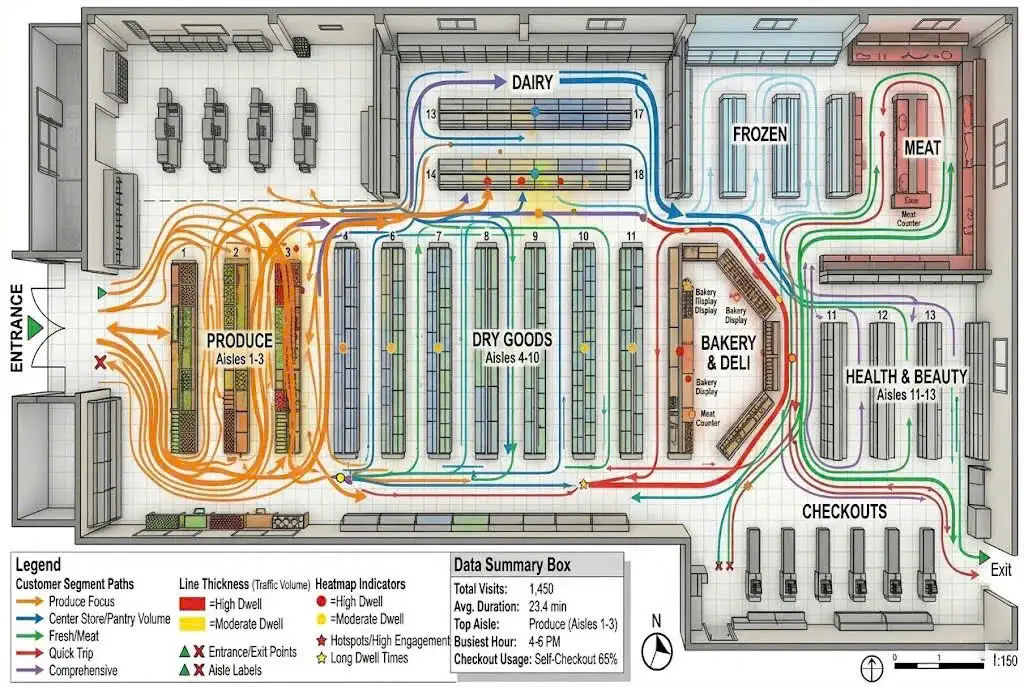
Camera-based retail heatmaps allow us to see the full customer journey through path analysis. We track the directional flow of traffic from the entrance to the exit. We can see if people follow our intended paths.
If customers take shortcuts, we know the layout is not intuitive. This foot traffic analysis helps us guide shoppers toward specific items. We want their journey to be smooth and productive.
Proven Strategies to Increase Profit With Spatial Data
Camera-based retail heatmaps help us place high-margin items in the highest traffic zones. Every store has “power aisles” that get the most traffic. We place our most profitable products in these hot zones.
This ensures that the maximum number of people see them. It is one of the easiest ways to increase the store capture rate. We turn high traffic into high sales by being strategic with placement.
Camera-based retail heatmaps help align staff schedules with peak traffic intensity. Occupancy monitoring tells us exactly when the store is most crowded. We can put more employees on the floor during these busy hours.
This ensures that every customer gets the help they need. Better service leads to higher sales and happier shoppers. We avoid overstaffing during quiet times to save on costs.
We also use A/B testing to evaluate our merchandising success. We can change a display and then monitor the result. If the foot traffic analysis shows more engagement, the change worked.
If traffic drops, we try something else. This data-driven approach removes the guesswork from store management. We can prove which marketing ideas actually bring in money. It allows us to be more creative and confident.
| Metric | Business Goal | Outcome |
| Dwell Time | Product Interest | Better Display Placement |
| Path Analysis | Store Navigation | Improved Layout Flow |
| Occupancy Rate | Staff Optimization | Reduced Labor Costs |
Technical Steps for a Successful System Installation
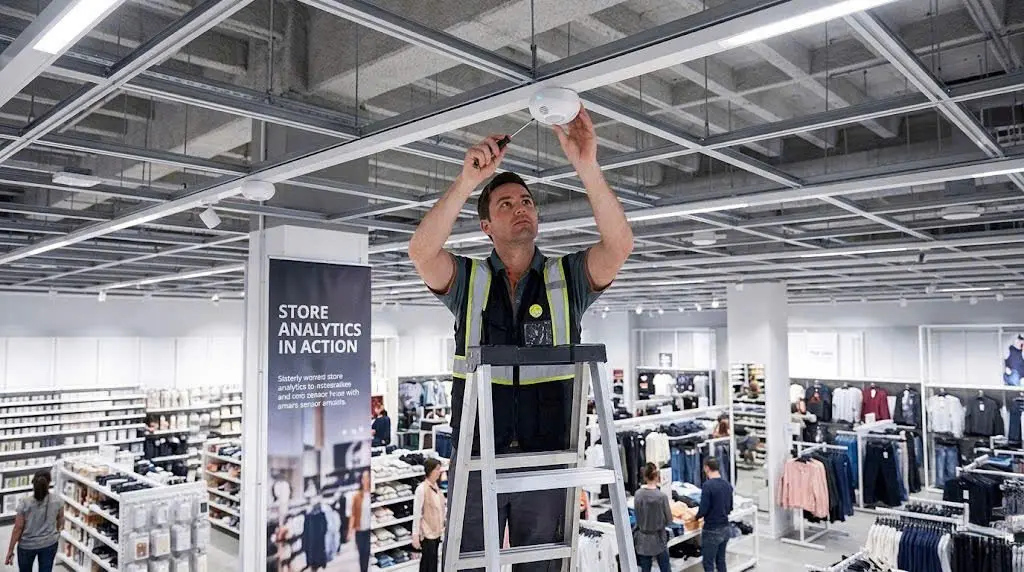
Camera-based retail heatmaps require careful camera mounting and calibration for accuracy. We must choose the right camera mounting heights. Usually, a high, top-down view works best for path tracking.
If the angles are wrong, the data will be blurry. We spend time testing the system to make sure it sees every corner. Proper setup is the foundation of good data.
We must also choose between edge and cloud processing. Edge processing happens right on the camera device. This method is very fast and keeps data more private.
Cloud processing offers more storage for long-term trends. Many of our clients use a hybrid model. This combines the speed of the edge with the power of the cloud. We help retailers choose the best fit for their budget.
Camera-based retail heatmaps connect with POS data to reveal the true store conversion rate. This allows us to link store traffic to actual sales numbers. We can calculate how many visitors become paying customers.
Without this integration, we only see half of the picture. Linking movement to money is how we prove ROI.
Privacy Standards and Ethical Tracking Requirements
Camera-based retail heatmaps anonymize all shopper data to protect personal privacy. The system sees moving dots or shapes, not faces. We do not store any personal identifying information.
This keeps the focus on behavior patterns. Our goal is to improve the store, not to watch individuals. This approach protects the shoppers while giving us the data we need.
Camera-based retail heatmaps follow strict GDPR and CCPA compliance standards. These laws set high standards for data protection. We ensure that our retail analytics systems follow every rule.
We also recommend clear signs to inform shoppers about data collection. Transparency is the best way to build long-term trust. When shoppers feel safe, they are more likely to return to our stores.
Ethical tracking also means keeping the data secure. We use encryption to protect the numbers we collect. Only authorized managers can access the analytics dashboard.
We never sell raw data to third parties. Our commitment to ethics is just as important as our technology. We believe that smart retail must also be responsible retail.
Key Takeaways for Retailers
- Use hot zones to place high-margin products for better visibility.
- Monitor dwell time to see which displays truly engage your customers.
- Adjust staffing levels based on real-time occupancy data to save money.
- Integrate POS data with traffic maps to find your true conversion rate.
- Always prioritize customer privacy to maintain a positive brand image.
Common Questions About Implementing Retail Heatmap Technology
What is the difference between motion and dwell maps?
Motion maps show the paths people take as they move. They are great for seeing how traffic flows through the store.
Dwell maps show where people stop and stay still. These are better for measuring interest in specific products or displays. We use both to get a full view of customer behavior.
Can existing security cameras be used for heatmapping?
Yes, we can often use existing IP cameras for this purpose. The cameras just need a clear view of the floor.
We might need to update the software to enable the analytics. However, dedicated sensors often provide higher accuracy for path analysis. We evaluate each store to see if an upgrade is necessary.
Why are cameras more accurate than WiFi tracking?
WiFi tracking depends on shoppers having their WiFi turned on. Many people turn it off to save battery or for privacy.
Cameras see every person who enters the frame regardless of their phone settings. This makes the data much more complete and reliable. It is the gold standard for foot traffic analysis.
Which retail sectors see the highest ROI?
Grocery stores and large department stores often see the quickest gains. These stores have complex layouts and high traffic volumes.
Small changes in flow can lead to huge sales increases. However, specialty boutiques also benefit by learning which high-end items get the most attention. Any store with physical visitors can see a return on investment.
We believe that every store has hidden potential. Technology helps us find that potential and turn it into profit. The data we collect today will shape the stores of tomorrow.
We are excited to see how these tools continue to evolve. Let us embrace these insights to build better businesses.
In conclusion, data is the key to surviving in the modern retail market. We must understand our visitors to serve them better.
Using camera-based retail heatmaps gives us the edge we need to succeed. By optimizing our layouts and staffing, we create a more efficient store. This leads to higher revenue and a better experience for our customers. It is time to start looking at our stores through a smarter lens.


Captivate, Connect, Convert: Mastering Interactive Touch Screens for Exhibitions
Conquering Privacy Concerns in E-commerce Personalization: 5 Critical Strategies for Absolute Customer Trust
E-commerce Personalization: Orchestrating High-Conversion Experiences in the AI Era
Innovative Exhibition Engagement Solutions for High-Impact Trade Shows
How to Optimize Lead Capture Automation Workflows and Scale Pipeline: 15 Strategic Ways for Better Management
QR Booking System for On-site Beauty Service Reservation